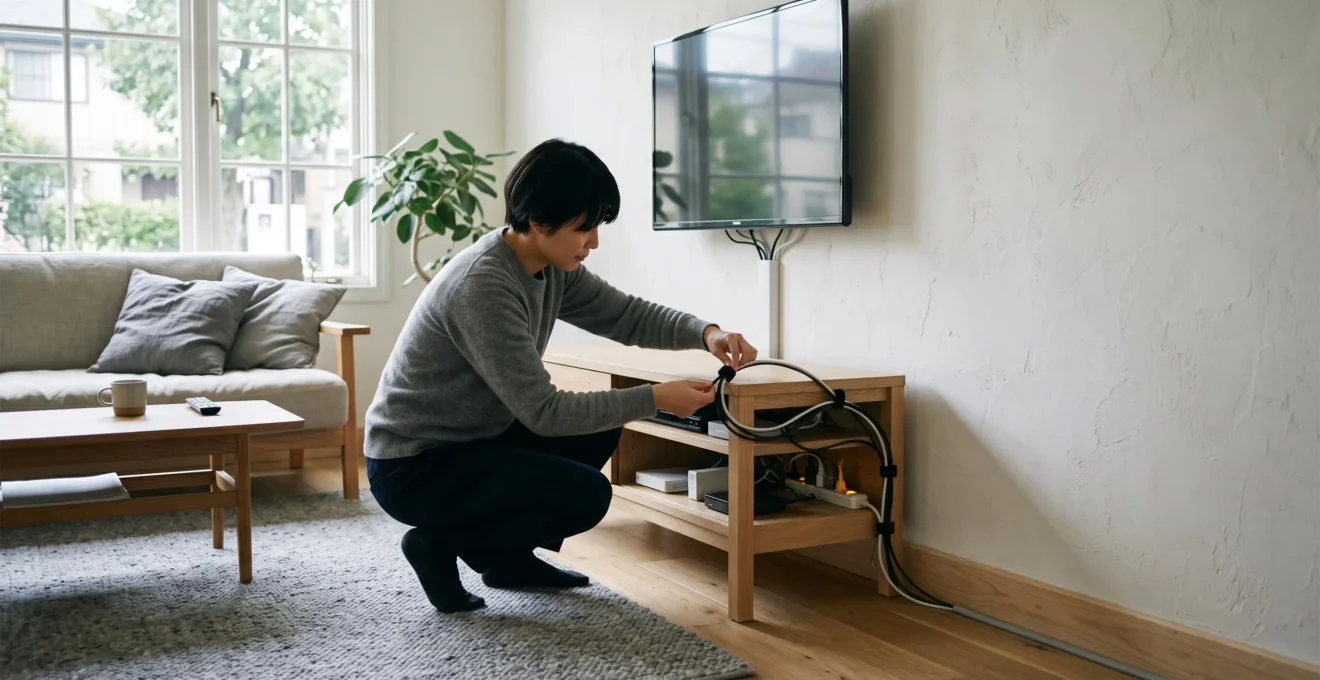
A television cable hanging across a pale wall, a charger trailing over a bedside table or several wires crossing beneath a desk can interrupt an otherwise carefully arranged room. Fortunately, reducing this visual clutter rarely requires opening walls, lifting flooring or undertaking a major renovation.
The most effective approach is to reduce unnecessary cables, group the remaining connections and route them along existing architectural or furniture lines. Surface-mounted cable channels, adhesive clips, under-desk trays and discreet furniture placement can then make the arrangement less noticeable without permanently changing the room.
The aim is not necessarily to make every wire disappear. A clean, accessible cable route is often preferable to a completely concealed installation that makes devices difficult to unplug, creates tight bends or restricts safe access to electrical connections.
Whether the problem sits behind a wall-mounted TV, a home office desk or a charging station, the best solution begins with identifying exactly what is visible, what can be removed and what needs to remain accessible.
Visible cable concealment: the essentials
- Start with the cables that interrupt the main sightlines of the room, especially long diagonal runs and tangled groups.
- Route cables along baseboards, furniture edges or suitable surface-mounted channels instead of leaving them crossing open surfaces.
- Keep power connections accessible, avoid overloaded extensions and choose reusable fixings so individual devices remain easy to maintain.
- Why Do Visible Cables Stand Out So Much in Minimal or Neutral Interiors?
- How Can You Route Visible Cables Along Walls and Furniture More Neatly?
- Cable Trunking or Furniture Concealment: Which Looks Neater in a Finished Room?
- What Cable-Hiding Mistakes Make Electronics Harder to Maintain?
- Which Visible Cables Should You Hide First for the Biggest Visual Improvement?
- How Can You Organise Several Cables Behind a Desk or Television Unit?
- What Should You Simplify First When a Room Feels Visually Too Busy?
- How Can Cable Management Keep Home Electronics Organised Without Hiding Every Wire?
Why Do Visible Cables Stand Out So Much in Minimal or Neutral Interiors?
Visible cables tend to stand out in minimalist or neutral rooms because their dark, irregular lines contrast with uninterrupted walls, simple furniture and pale flooring. Diagonal routes, loose loops and crossing wires introduce visual complexity into spaces designed around clean shapes. Even a single conspicuous connection can attract attention when little else competes with it.
A plain wall provides a useful example. Its uniform surface makes a black television cable more noticeable than the same cable against a crowded shelving unit. The cable is not necessarily larger or more numerous; its surroundings simply offer fewer competing details.
The route matters as much as the colour. A wire running diagonally from a wall-mounted screen to a socket creates a distinct line across the wall. Redirecting that wire vertically towards a baseboard and then horizontally along it can make the installation appear more intentional, even when part of the cable remains visible.
There are also two different problems to identify:
- Cable visibility: One exposed lead crosses a clean surface or contrasts strongly with the background.
- Cable disorder: Multiple leads overlap, hang at different lengths or form tangled loops around electronics.
A matching cable cover may help with the first problem. The second usually needs grouping and organisation before any decorative concealment.
To identify priorities, sit in the places where the room is most frequently viewed: the sofa, bed or desk chair. From normal eye level, note the three areas where cables interrupt a wall, baseboard, floor or furniture edge. This simple observation gives a more reliable starting point than examining every cable individually.
Wall-coloured cables or paintable channels can reduce contrast, but they do not remove the physical line or projection of the installation. Their effect is generally stronger when the route follows the surrounding architecture.
Once the most disruptive lines have been identified, the next task is to redirect them without creating new visual or practical problems.
How Can You Route Visible Cables Along Walls and Furniture More Neatly?
To route visible cables neatly, group them by destination, choose a path that follows existing room edges and secure them with suitable removable clips or cable channels. Vertical runs beside furniture and horizontal runs along baseboards generally look more deliberate than diagonal crossings. Check surface compatibility before applying adhesive fixings, and keep connections accessible.
Start by tracing each lead from its device to its destination. Identify which cables supply power, which carry data or video signals and which connect audio equipment. Cables that follow the same direction may share a physical route where their specifications and the chosen management product permit it.
Grouping by destination before installing clips prevents a common problem: several separately attached wires running beside one another at slightly different angles.
Use architectural lines as the route. A television cable can descend towards the furniture below rather than cutting diagonally across the wall. A computer monitor cable can follow the back edge of a desk before reaching a supported vertical run behind a leg.
Different surfaces call for different fixings:
- Baseboards and smooth painted walls may accommodate compatible adhesive cable clips or surface channels.
- Desk undersides and cabinet backs can support suitable adhesive cable holders or trays without attaching anything to the wall.
- Furniture with existing cable openings can provide a discreet route without additional drilling.
- Reusable hook-and-loop straps can hold compatible cable groups together while allowing later adjustments.
Adhesion is not universal. According to 3M‘s Command Cord Bundlers application guidance, the specified product is intended for compatible smooth surfaces and should not be applied to wallpaper, textured walls or rough materials. The manufacturer also provides surface-cleaning and installation conditions specific to that product.
Leave gentle bends rather than forcing cables around sharp corners. Avoid overtightening bundles, and consider separating signal cables from power cables where equipment instructions or interference concerns call for it. Do not assume that a decorative clip or channel is approved for every type of electrical cord.
For a rented property, test the proposed route and fixings in a discreet area. Even an adhesive product described as removable may affect unsuitable or fragile finishes.
When several cables must cross an exposed stretch of wall, however, ordinary clips may not offer enough concealment. That is where cable trunking becomes useful.
Cable Trunking or Furniture Concealment: Which Looks Neater in a Finished Room?
Furniture concealment usually offers the least visible result when cables can pass naturally behind a cabinet or television unit. Cable trunking is often more practical when a wire must cross an exposed wall without renovation. The better choice depends on the cable quantity, permitted modifications, maintenance access and whether a neat visible channel is acceptable.
Surface-mounted cable trunking, also called cable raceway or cord covering, creates a defined route over an existing wall. It does not remove the cable from the room’s architecture, but it replaces an irregular hanging wire with a straighter, more controlled feature.
For example, Legrand‘s CordMate cord channel specifications describe a self-adhesive, paintable plastic channel intended to conceal a single cord or cable along an indoor wall or baseboard. This particular C100 product is not NRTL listed; it should not be treated as an approved enclosure for permanent electrical wiring.
Furniture concealment takes a different approach. A low cabinet beneath a screen can hide the cable descent, while an existing gap behind a desk can keep monitor connections out of the main sightline. The result can appear cleaner, provided plugs are not compressed and the furniture does not obstruct equipment ventilation.
The practical differences are easier to assess side by side.
| Decision factor | Cable trunking | Furniture concealment |
|---|---|---|
| Visual result | A visible but orderly surface line | Cables can disappear from normal view |
| Best use | Exposed runs along walls and baseboards | Cables concentrated near desks, cabinets or TV units |
| Installation | Adhesive or mechanically fixed, depending on product | May use existing openings or require furniture modifications |
| Maintenance | Accessible with an openable channel design | May require moving furniture or opening cabinet panels |
| Rental considerations | Some options avoid drilling, but adhesive removal can damage finishes | May avoid wall modifications entirely |
| Practical limitation | Channel capacity and cable compatibility | Space, access, ventilation and cable clearance |
A paintable channel offers a compromise: it remains identifiable on close inspection but can blend with the surrounding wall. For suitable plastic raceways, manufacturer guidance may specify primer and compatible latex-based paint. Preparation instructions should be checked for the actual product rather than assumed to apply to all trunking.
Accessibility can outweigh perfect concealment. An openable channel may be more convenient than a tightly fitted cabinet when devices change frequently. Conversely, a piece of furniture with generous rear clearance can keep permanent connections visually unobtrusive without adding anything to the wall.
Neither option automatically solves the safety requirements of power cords. Extension leads should not be threaded through building surfaces or enclosed in unsuitable ways simply because they fit inside a decorative route.
Whichever method is chosen, its long-term success depends on the ability to inspect, disconnect and replace individual components.
What Cable-Hiding Mistakes Make Electronics Harder to Maintain?
The most troublesome cable-hiding mistakes are permanent fixing, inaccessible connections, tightly compressed bundles and poor ventilation around electronics. An arrangement that looks invisible today may become difficult to repair when a monitor, charging cable or television is replaced. Reusable fasteners, accessible plugs and a little spare cable length usually make concealment more manageable.
Strong adhesives, inaccessible holes and rigidly fixed cable groups can make routine changes unnecessarily complicated. A cable channel may look tidy, but if it must be damaged to replace a lead, the installation has traded convenience for appearance.
The same issue occurs when every connection is tied into a single tight bundle. Removing one HDMI lead should not require cutting several fasteners or disturbing the power connections of unrelated devices.
Plan for individual cable replacement. Reusable hook-and-loop ties, removable tray covers and separately identifiable connectors support this approach. Small labels at both ends of similar-looking cables can prevent confusion when devices are unplugged.
Electrical safety also places limits on concealment. Electrical Safety Foundation International‘s extension cord guidance warns against running extension cords through walls, floors or ceilings, covering them in ways that impede heat dissipation, or fastening them with nails or staples. Extension cords must not substitute for permanent wiring.
For power strips, avoid overloaded connections and unsuitable enclosed spaces. In particular, an extension lead hidden behind a cabinet should not become impossible to inspect for wear, damage or overheating.
Other maintenance errors include leaving cables under tension, creating bends that strain connectors or packing adapters against the back of a warm-running device. Provide sufficient clearance for furniture movement and follow the equipment manufacturer’s ventilation requirements.
Before finishing an installation, take a photograph of the cable layout. This can document which plug supplies which device without relying on memory. A small accessible slack allowance also makes it easier to disconnect components without pulling on their ports.
A tidy installation should remain straightforward to operate, inspect and adapt. With those limits established, the next decision is which visible connections deserve attention first.
Which Visible Cables Should You Hide First for the Biggest Visual Improvement?
Hide the cables that dominate the room’s main sightlines first, particularly long exposed runs, dangling television leads and tangled groups beneath desks. Fixed connections generally deserve attention before temporary chargers. Removing unnecessary cables and regrouping existing ones can produce a substantial visual improvement without purchasing decorative accessories.
Start from the positions where the room is actually used. A cable running directly beneath a television may be much more noticeable from the sofa than several shorter leads tucked behind a cabinet.
A useful order of priority is:
- Long cables crossing open walls, floors or furniture gaps.
- Clusters of overlapping wires visible from main seating positions.
- Fixed cables that repeatedly fall or hang outside their intended route.
- Short local connections near devices and occasional charging leads.
Grouping often delivers the clearest initial change. Several parallel cables hanging independently introduce multiple visible lines. Bringing compatible cables together into a controlled route reduces the number of separate lines the eye encounters.
Distinguish permanent connections from mobile ones. A television’s power and signal connections generally stay in the same place, making a fixed route practical. A phone charging lead needs to be handled regularly, so it is better given a designated charging point with an accessible holder.
Before buying a cable cover, consider whether the route can be shortened through furniture placement. Moving a television unit slightly closer to an existing outlet, where practical and safe, may eliminate a conspicuous exposed stretch without requiring additional components.
A separate charging station can similarly prevent several loose leads from spreading across side tables, provided its power supply and connected devices are used according to their instructions.
A five-step cable visibility audit
- Photograph the room from its main seating position and save one image showing the most noticeable cables.
- Mark the three cable runs that interrupt the clearest wall, floor or furniture lines, producing a short priority list.
- Identify every unused lead or redundant charger in those areas and make a separate removal list.
- Sketch a proposed route for each remaining cable group, showing where it can follow a baseboard or furniture edge.
- Choose one accessible, compatible fixing method for the highest-priority route and record the planned installation before buying materials.
The purpose of this audit is not to count every wire but to identify the few changes most likely to improve the room’s appearance. A single corrected route can be more useful than a collection of minor accessories applied in less visible areas.
Once the most prominent cables have been addressed, attention can turn to the dense groups behind desks and entertainment furniture.
How Can You Organise Several Cables Behind a Desk or Television Unit?
Organise multiple cables behind a desk or television unit into three functional zones: power distribution, grouped cable routing and individual device connections. Secure compatible cable groups along a supported path, keep excess length controlled and leave each plug accessible. This produces a neater arrangement without making the entire system difficult to disconnect or update.
A crowded furniture recess becomes easier to manage when each section has a defined purpose rather than allowing every lead to fall into the same space.
The distribution zone contains the power connections. Position an appropriately rated power strip where it remains accessible and can be installed according to its manufacturer’s instructions. If mounting is permitted, use the intended fixing method. Do not overload sockets, daisy-chain extension leads or place power accessories where heat and damage cannot be monitored.
The grouping zone carries cables towards their devices. A supported vertical run on the back of a television unit or a horizontal tray beneath a desk can prevent loose loops from hanging visibly. Reusable wraps can retain compatible cables while keeping the group flexible.
The exit zone is where cables branch towards the television, monitor, console, computer or peripheral. Each lead should leave the shared route near its destination rather than crossing repeatedly over other connections.
Excess cable length should be dealt with deliberately. Rather than pushing unused length into a compressed mass, form a loose, supported loop where appropriate for the cable type, observing minimum bend requirements and avoiding tight coils that could trap heat or stress the cable. Extension cable reels should be fully unwound during use, in accordance with relevant safety guidance.
Existing furniture offers several options without drilling walls. An appropriately rated adhesive holder on a compatible desk surface can guide lighter cables. A tray fitted to the underside of a suitable desktop may keep loose connections away from the floor. Existing cable openings can carry leads between compartments without modifying the cabinet.
After routing, test each connection individually. A monitor or console should be removable without dismantling the entire group, and the cable should not pull against its port when the device reaches its normal position.
Check clearances before pushing furniture back against a wall. Plugs, adapters and cooling openings need enough space to function as intended, and no cable should be trapped beneath a furniture foot or pinched against a sharp edge.
After the physical routes are organised, it is worth asking whether all of the connected equipment is still necessary in the first place.
What Should You Simplify First When a Room Feels Visually Too Busy?
When cables contribute to a visually busy room, simplify the number of active connections before trying to conceal them. Remove unused devices, redundant chargers and unnecessary cable runs, then group what remains. Fewer connections mean fewer routes to manage, making the room easier to keep tidy without adding layers of organisers or covers.
A common mistake is attempting to disguise every wire while keeping all existing electronics in place. This can leave the original clutter intact, merely hidden behind larger accessories or furniture.
Instead, inspect the devices connected around the television, workspace and charging areas. Look for old charging cables, unused peripherals, duplicate adapters or devices that no longer need a permanent connection.
Classify the remaining cables into three categories:
- Remove: Unused leads, disconnected accessories and redundant connections that serve no current purpose.
- Group: Necessary cables following similar destinations that can be organised into compatible, accessible routes.
- Conceal: Required cables that still cross conspicuous surfaces after the first two steps.
Consider a hypothetical living room with a television, streaming device, games console and several chargers connected to the same entertainment area. If two chargers and one older device are no longer used, removing their connections immediately reduces the amount of cable management required.
This matters because every additional device can introduce another lead, adapter or charging position. Removing a device may therefore eliminate more than one visible item and create extra space behind furniture.
Wireless alternatives can sometimes reduce visible data cables, but they are not automatically cable-free. Many wireless devices still require charging or a power supply, and changing equipment purely for visual reasons may introduce unnecessary cost.
Also review nearby objects that compete visually with cable arrangements. A clear desktop or cabinet surface can make a neatly routed cable less distracting than the same cable surrounded by miscellaneous accessories.
The objective is a room with fewer unnecessary connections and better-managed essential ones, not a space that becomes difficult to use in the pursuit of visual perfection.
Key takeaways for a lasting setup
- Prioritise a predictable cable route and accessible connections over the complete disappearance of every wire.
- Choose reusable organisers and leave enough clearance to unplug, inspect and replace devices independently.
- Treat cable management as part of adding or removing electronics, rather than a one-off decorating project.
How Can Cable Management Keep Home Electronics Organised Without Hiding Every Wire?
Cable management can keep electronics organised by making visible wiring consistent, controlled and easy to maintain. A small number of neatly routed cables often looks better than an elaborate system that conceals everything but restricts access. The most sustainable approach combines hidden cable groups with carefully positioned, visible connections where necessary.
This is the principle of intentional visibility: not every functional element has to disappear to feel compatible with the interior.
A single cable following the edge of a desk, descending cleanly behind a furniture leg or running inside a suitable baseboard channel can appear integrated into the arrangement. By contrast, several loosely hanging leads may draw attention even when most of the installation is technically hidden.
A hybrid approach is particularly practical for rooms where equipment changes over time. Permanent groups can sit behind furniture or inside accessible cable channels, while shorter device connections remain individually reachable.
Build flexibility into the installation. Avoid filling every channel completely, and select organisers that can be reopened or adjusted. Leave suitable space for an additional compatible lead where future equipment changes are reasonably anticipated, without exceeding the channel’s specified capacity.
Maintenance should become part of normal device management. When adding a monitor, charging station or media player, route its cables immediately rather than leaving them temporarily draped across the room. When removing an appliance, take out its unused connections instead of allowing them to accumulate.
Photographs and simple labels can make this routine easier during furniture changes, equipment upgrades or a move. Documenting which cables belong to which devices reduces the need to dismantle otherwise tidy arrangements.
Electrical connections still require ongoing attention. Electrical Safety First advises against connecting extension leads together and warns that overloaded extension devices can overheat. Its consumer guidance also recommends inspecting electrical accessories for damage or warning signs, and considering additional professionally installed sockets where extension leads are needed regularly.
Visible order must never take priority over appropriate electrical installation, ventilation or access. A lead should remain exposed when concealing it would introduce unsuitable loading, restricted cooling or an unsafe route.
Begin with one prominent cable group, remove anything no longer needed, give the remaining connections a clear route and confirm that every device remains easy to disconnect. Repeat the process only where visible clutter persists. The result is a more orderly room that remains practical to live in and maintain.
Can you hide television cables without drilling into a wall?
Yes. Suitable adhesive surface cable channels can conceal compatible exposed leads along walls or baseboards without drilling. Furniture placement can also hide the route. Check the channel’s intended cable types, adhesive requirements and potential effect on wall finishes. Do not run ordinary extension cords through walls or unsuitable enclosed spaces.
Will adhesive cable clips damage painted walls when removed?
They may. Removal depends on the adhesive, wall finish, paint condition and installation method. Some products use specific removable strips, while strongly bonded cable channels can pull away paint or damage the underlying surface. Follow the manufacturer’s removal instructions and test compatibility before installing fixings across prominent areas.
Is it safe to keep a power strip inside a cable management box?
Safety depends on the power strip, enclosure, connected equipment, electrical load and manufacturer instructions. A decorative box is not automatically suitable for every power accessory. Avoid overloaded connections, restricted ventilation and inaccessible plugs. If the arrangement makes overheating, wear or damage difficult to detect, use a more accessible location.
Should power cables and HDMI cables be bundled together?
Not necessarily. Bundling suitability depends on the cable specifications, electrical requirements and management product. Where practical, separating power and signal routes can simplify identification and troubleshooting. Avoid forcing different connectors into tight bundles, and follow manufacturer instructions for any required separation or approved enclosure.
How can charging cables stay tidy while remaining easy to use?
Give frequently used chargers a dedicated location near an appropriate outlet. Use a compatible cable holder to retain the loose end, keep unnecessary length supported and remove redundant chargers. Unlike permanent television connections, charging leads should remain easy to pick up, reposition and replace without disturbing other cables.