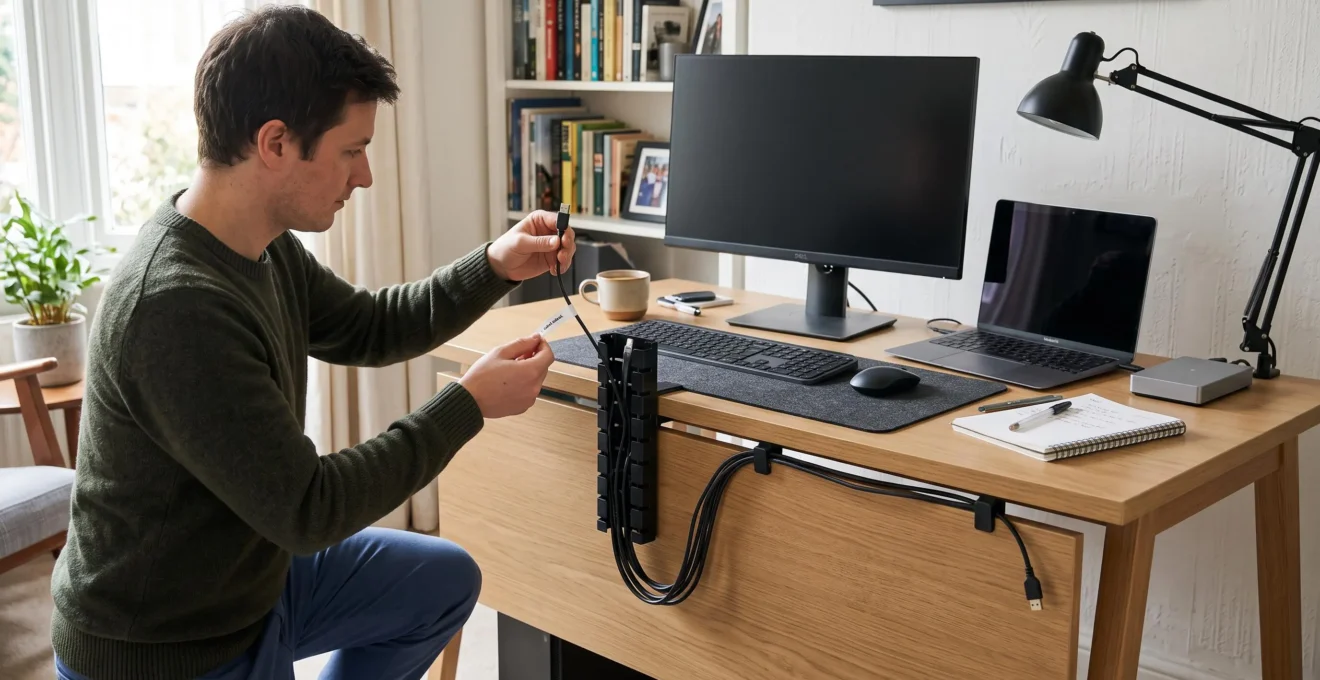
A tidy electronics setup does not require every wire to disappear. Effective cable management separates connections that rarely change from those you use regularly, routes them along predictable paths and keeps each device accessible for cleaning, troubleshooting or replacement.
The challenge is that home electronics rarely stay the same. A television gains a streaming device, a desk acquires another monitor, and chargers accumulate beside lamps, routers and speakers. Without a consistent system, even a carefully concealed arrangement can become difficult to maintain.
The practical solution is to organise cables by function, secure them without excessive tension, label connections and conceal only the runs that benefit from being hidden. Clips, sleeves, cable trunking and furniture can work together rather than compete as alternatives.
Good organisation also considers electrical safety. Power adaptors need suitable operating conditions, extension leads must remain within their ratings, and decorative cable covers must be appropriate for the cables they contain. The goal is a room that looks orderly while remaining straightforward to use.
Cable Management: The Essentials
- Organise before concealing: identify active connections, separate cables by function and label both ends before choosing covers or fasteners.
- Match the method to the cable: use accessible clips for frequently changed leads, sleeves for flexible groups and suitable trunking for stable visible runs.
- Keep maintenance possible: provide connection slack, preserve ventilation and store spare cables away from the active setup.
- Why Does Cable Clutter Become More Difficult to Manage Over Time?
- How Can You Organise Several Cables Behind a Desk or Television Unit?
- Cable Clips, Sleeves or Trunking: Which Management Method Works Best?
- Which Cable Management Mistakes Make Device Changes More Difficult?
- When Should You Redo Cable Management Instead of Adding More Ties and Clips?
- Cable Trunking or Furniture Concealment: Which Looks Neater in a Finished Room?
- How Should You Organise Storage Around the Things You Use Every Day?
- How Can You Hide Visible Cables Without Rebuilding Walls or Floors?
Why Does Cable Clutter Become More Difficult to Manage Over Time?
Cable clutter becomes harder to manage because new electronics add connections to an existing network of wires rather than replacing it neatly. Each device may introduce power, charging or signal cables, while temporary fixes obscure their purpose. Over time, removing one connection can become unnecessarily complicated because several others have been bundled around it.
Consider a home desk that originally supported a computer and lamp. Adding a monitor may introduce a video cable and another power connection. A docking station, speakers and external drive create further routes between equipment, sockets and accessories. The issue is not simply the number of cables: the connections increasingly overlap and depend on shared routing space.
Improvised organisation makes this more difficult. Tight cable ties may secure unrelated leads together, adhesive tape can become awkward to remove, and unlabelled bundles conceal which device each connection serves. A cable arrangement can therefore look tidier without becoming easier to maintain.
Start with a visual cable audit. Trace each accessible lead from one end to the other without disconnecting working equipment. Identify three categories:
- Active: connected to a device currently in use.
- Duplicate: serving a potentially redundant connection or kept alongside an equivalent lead.
- Obsolete: associated with equipment that is no longer part of the setup.
Do not assume an unfamiliar cable is unused simply because its device is not immediately visible. Routers, external storage, speakers and other equipment may depend on connections that run behind furniture. Verify their purpose before removing anything.
The next step is to distinguish permanent connections from frequently handled ones. A monitor’s power cable might remain fixed for months, whereas a laptop charger may be moved every day. Routing both identically sacrifices flexibility without necessarily improving appearance.
Early organisation reduces the temptation to push the entire collection behind furniture and forget about it. Concealment becomes useful only after the wiring has a recognisable structure.
Once the active connections are known, organising them into functional routes is more effective than trying to hide the existing tangle.
How Can You Organise Several Cables Behind a Desk or Television Unit?
Organise cables behind a desk or television unit by dividing them into power, audiovisual and network routes, establishing fixed distribution points, and securing each group separately. Route individual cables before bundling them, label both ends and retain enough slack to move devices safely. This creates a cleaner installation without making everyday maintenance difficult.
Begin by examining where connections originate and terminate. Power leads usually travel towards wall sockets or an appropriately rated power strip. HDMI, audio and other signal cables connect equipment to displays or speakers, while network cables link devices to routers or network outlets.
Separating these groups makes connections easier to identify and change. In installations where electromagnetic interference is a concern, keeping power and data routes apart where practical may also help. Brady‘s network cable management guidance recommends clear identification, appropriate routing, separation where relevant and avoiding cable strain. These professional-network principles are useful organisational practices, not mandatory domestic installation rules.
Follow a consistent installation sequence:
- Choose distribution points. Position a suitable power strip or other connection point where it remains accessible, ventilated and within the manufacturer’s installation requirements.
- Route each cable individually. Work from the device towards its connection point, following furniture edges or existing channels.
- Secure related runs. Use appropriately sized clips, reusable ties or sleeves without pulling cables tight or sharply bending them.
- Label both ends. Identify the device and connection using matching, legible labels.
- Check access. Confirm that equipment can be cleaned, inspected or removed without dismantling unrelated cable routes.
For a television unit, adhesive channels attached to a suitable internal back panel can keep fixed runs out of view. A console, router or media player on an open shelf can remain accessible while its cables follow the furniture’s inner edges.
The most important access detail is the service loop: a modest length of spare cable near a connection that allows equipment to move without pulling against its socket. The amount depends on the device’s intended movement, the connector and the cable’s permitted bend radius. Excess cable should be arranged loosely rather than compressed into tight coils.
Behind a desk, the same approach works with a cable tray and individual clips. Secure accessories only to surfaces suitable for their weight and intended use, and ensure moving desk mechanisms cannot trap cables. Keep heavy power adaptors supported rather than suspended by their leads.
A Five-Step Cable Organisation Checklist
- Map the connections: trace the active cables and produce a simple device-to-socket list.
- Define three functional routes: mark where power, audiovisual and network cables will travel on the furniture or room layout.
- Install suitable supports: secure the approved clips, trays or channels and confirm that every mounting point is stable.
- Label and test accessibility: label both ends of each identifiable lead and verify that one device can be reached without undoing unrelated bundles.
- Finish the visible edges: secure excess slack safely and confirm that frequently used charging connections remain easy to reach.
With the routes established, selecting the right combination of clips, sleeves and trunking becomes a straightforward decision about visibility and future changes.
Cable Clips, Sleeves or Trunking: Which Management Method Works Best?
Cable clips are usually best for connections that change frequently, sleeves suit groups of cables that move together, and trunking provides a deliberate finish for stable, visible routes. The best choice depends on how often you need access and how exposed the run is. Most households benefit from combining methods rather than using one throughout.
Two questions should guide the choice: will the cables need regular removal or replacement, and will the route be visible from the room? A charging lead beside a desk has different requirements from a fixed cable crossing a painted wall.
The comparison below describes typical uses rather than guaranteed performance. Actual suitability depends on the product, surface and cable types.
| Criterion | Cable clips | Cable sleeves | Cable trunking |
|---|---|---|---|
| Typical application | Individual cables and device connection points | Groups travelling along a shared route | Fixed runs across exposed surfaces |
| Best access pattern | Frequent changes | Occasional changes | Infrequent changes |
| Appearance | Individual cables remain partly visible | Several cables appear as one bundle | A consistent covered line |
| Reconfiguration | Usually straightforward with releasable designs | Depends on the sleeve’s opening system | Depends on cover design and available capacity |
| Main limitation | Less effective at hiding extensive runs | Individual cables can be awkward to extract | Surface compatibility, access and permitted cable types |
Reversibility matters. Some clips can be opened repeatedly, while others rely on adhesives that may need replacing. Split sleeves can be reopened more conveniently than closed sleeves, and some trunking systems have removable covers that permit later cable changes.
Adhesive trunking may leave residue or damage paint when removed. Similarly, adhesive clips should not be assumed suitable for every finish. Check the manufacturer’s surface requirements before installation, especially on textured walls, fragile coatings or newly painted surfaces.
Electrical components require separate consideration. Sleeves and decorative trunking are not appropriate places to enclose power bricks or overloaded adaptors. Keep heat-producing equipment ventilated, respect the manufacturer’s instructions and avoid forcing cables into undersized covers.
Electrical Safety First‘s extension lead safety advice warns about overloaded extension equipment, chained extension leads and cable reels operating while wound. These hazards are not solved by concealing the cables. Electrical arrangements must remain within their applicable ratings and safety requirements.
A practical hybrid setup might use trunking along an exposed wall, a flexible sleeve behind the desk and clips near devices that are regularly disconnected. This provides visual consistency where needed and access where it matters.
The installation method matters less than whether individual connections remain identifiable, correctly supported and suitable for the equipment they serve.
Which Cable Management Mistakes Make Device Changes More Difficult?
Device changes become difficult when unrelated cables are tightly bundled, connections are left unlabelled or routing depends on furniture that must move. Keeping unused leads inside the active setup also recreates clutter. The solution is to organise cables so that one device can be disconnected or replaced without disturbing the rest of the installation.
The first mistake is over-bundling. Combining HDMI, power and network cables into one tightly secured group may produce a clean appearance, but replacing a single connection can require releasing the entire run. Group cables by function and keep likely replacement leads separately accessible, without forcing them into sharp bends.
The second mistake is neglecting labels. A bundle containing five similar dark cables may look organised while remaining almost impossible to identify by sight. Labels at both ends make a cable’s purpose clear regardless of which end is being inspected.
A simple naming convention can help. For example, a cable connecting a computer to a monitor might be labelled « Desk PC – Monitor » at both ends. Device names and destinations are more useful than colour coding alone because colours can be forgotten, duplicated or difficult to distinguish.
The third mistake concerns mounting locations. Attaching every cable to the back of a desk may create problems when the desk is repositioned. Equally, fixing a connection tightly to the wall can restrict movement of a sit-stand desk or mobile television unit.
Choose attachment points according to what moves. Fixed room runs may suit wall- or skirting-mounted channels, while moving furniture needs flexible routing with adequate slack, suitable strain relief and protection from pinching. Neither wall mounting nor furniture mounting is universally preferable.
Another common error is keeping every spare lead beside the active devices. Old chargers, duplicate HDMI cables and disconnected adaptors gradually occupy the same space as equipment currently in use.
Spare cables need separate storage. Retain useful compatible accessories in a labelled compartment, and remove obsolete or damaged items through appropriate recycling or disposal routes.
Finally, avoid treating visual concealment as the finishing step without testing accessibility. Check whether connectors can be reached, ventilation remains unobstructed and the system can accommodate an ordinary device replacement.
If several of these problems already exist together, rebuilding the arrangement may be more efficient than adding more clips to it.
When Should You Redo Cable Management Instead of Adding More Ties and Clips?
Redo cable management when individual connections can no longer be identified, adding one device requires disturbing several others, or obsolete cables occupy much of the routing space. Minor adjustments make sense when the underlying system still works. A full rebuild is more useful when its organisation has become the main obstacle to maintenance.
Temporary fixes are attractive because they solve an immediate problem. Another tie secures a loose cable; another clip keeps a charger off the floor. Yet each addition can make the original routing harder to inspect, especially if previous fasteners must be removed to reach a connection.
Look for three practical warning signs:
- Identification failure: a cable’s purpose cannot be established by tracing or reading it, and identifying it would require disruptive unplugging.
- Access failure: replacing or cleaning one device means moving unrelated equipment or undoing several bundles.
- Obsolete infrastructure: cable routes still accommodate devices that have been removed from the room.
A non-disruptive audit can establish whether the setup needs rebuilding. Inspect visible routes and count the cables whose purposes you can confirm. Note the remaining leads as unidentified rather than assuming they are redundant. Do not disconnect unknown cables simply to speed up the inspection.
If most of the visible arrangement consists of confirmed unused connections, removing obsolete runs and rebuilding the active routes will often be more practical than adding another layer of fasteners. This is a decision rule, not a statistically established threshold.
The distinction resembles maintaining a system versus redesigning it. Maintenance involves replacing a broken clip, adding a label or adjusting one accessible route. Redesign means reconsidering where cables travel, how devices connect and which supports still serve a useful purpose.
Illustrative Example: A Desk That Has Outgrown Its Cable Layout
Imagine a desk originally arranged around a laptop and monitor. A docking station, speakers and additional display are subsequently added. Several leads are tied together behind the desk, while old charging cables remain attached to the same supports.
Rather than adding another tie, the user maps the active connections, removes confirmed obsolete leads while equipment is safely disconnected, establishes separate power and signal routes, and labels the remaining connections. This hypothetical example illustrates when restructuring can be more practical than repeated patching; it is not evidence of a measured time saving.
A furniture replacement, new television installation or significant desk upgrade is a convenient opportunity to review the system. Planning the redesign alongside a major equipment change avoids organising a layout that will soon be altered again.
Before beginning, make sure equipment can be safely powered down and that any electrical installation work beyond ordinary plug-in cable organisation is handled by an appropriately qualified professional where required.
After restructuring the routes, the remaining aesthetic decision is how much of the fixed wiring should be concealed and which surfaces should provide that concealment.
Cable Trunking or Furniture Concealment: Which Looks Neater in a Finished Room?
Cable trunking generally gives exposed cable runs a consistent, intentional appearance, while furniture concealment can make connections less noticeable by keeping them within cabinets or behind panels. Neither approach is automatically neater. The best result depends on the room’s layout, visible surfaces, furniture placement and how frequently the cables need attention.
Trunking is particularly useful where a cable must cross an otherwise open area, such as the distance between a television and a nearby socket. A suitably selected surface channel creates a controlled line instead of leaving several loose cables hanging separately.
Its visual success depends on placement, colour and finish. A paintable channel that follows a skirting board or matches the wall may look deliberate. A large strip cutting diagonally across a contrasting surface can become more noticeable than the original cables.
Furniture concealment works differently. A media cabinet with a suitable cable opening and an accessible rear compartment can conceal fixed connections without introducing another visible element on the wall. However, it works only if the furniture is positioned where the cables actually need to travel.
Accessibility is the critical difference. A suitable furniture panel or cabinet door may permit quick access to device connections. Surface trunking can also remain serviceable when its cover is designed to open, although doing so may require more effort than reaching into an open shelf.
For a finished room, map the visible wiring before selecting either approach:
- Mark each cable run between its device and connection point.
- Identify sections already screened by furniture.
- Highlight exposed sections that cross open walls or floors.
- Assign concealment methods separately to each section.
This mixed approach can produce a more coherent appearance than forcing every connection into one continuous cover.
In rented accommodation, surface mounting and removable accessories may be preferable where drilling or permanent modification is restricted. However, adhesive does not necessarily mean damage-free or permitted. Removal can affect painted surfaces, and tenancy agreements may restrict even apparently minor alterations.
For example, Legrand’s CordMate II wire channel documentation describes a surface-mounted cord-covering solution and identifies limitations concerning mounting surfaces, removal and suitability. This particular product is not a substitute for a system approved for permanently installed electrical wiring.
One important limitation is often overlooked: furniture and decorative covers must not obstruct ventilation or make electrical connections unsafe to inspect. Power strips and adaptors should be located according to their instructions, not simply placed wherever they disappear most completely.
In many rooms, the neatest arrangement combines a short, discreet wall channel with furniture-based concealment near the equipment.
Once the visible cable routes have been resolved, keeping spare accessories organised is essential to prevent the same clutter from returning elsewhere.
How Should You Organise Storage Around the Things You Use Every Day?
Organise electronics storage according to how frequently each item is used. Daily chargers and accessories should have reachable, consistent locations, while occasional and spare cables belong in labelled compartments away from active equipment. Giving each item a defined home prevents duplicates, reduces searching and protects the cable organisation already completed.
Frequency of use is a better organising principle than cable type alone. A phone charger used each evening belongs near its normal charging location. A replacement HDMI cable used only during equipment changes does not need to occupy the same space.
Divide accessories into practical access levels:
- Daily use: active charging leads, remote controls and frequently handled connectors kept near their devices.
- Occasional use: compatible adapters, travel chargers and accessories needed for periodic tasks, stored in a nearby labelled drawer.
- Rare or seasonal use: useful spare leads and equipment-specific cables kept in separate, clearly identified compartments.
The principle of one home per item is particularly useful for charging accessories. If a cable is routinely needed beside the sofa, establish a dedicated, accessible charging point there rather than storing its only compatible lead in another room.
For cables that are genuinely shared between devices, choose one recognised storage location. Labelling a compartment « USB-C charging cables » or « HDMI spares » makes the contents easier to retrieve without searching through unrelated adapters.
Use divided boxes, labelled pouches or drawer organisers to prevent leads from tangling together. Coil them loosely within the cable manufacturer’s bending guidance, and keep connectors protected from unnecessary pressure.
Storage should also distinguish reusable accessories from damaged or obsolete equipment. Frayed insulation, damaged plugs or visibly compromised connectors are reasons to stop using the affected item rather than return it to a spare-cable box.
Power strips merit separate treatment from loose accessories. Those in active service need suitable access and ventilation, and should not be treated as ordinary objects to conceal under piles of stored items. When not in use, store them safely in a dry location with their leads arranged without strain.
Maintaining this system requires occasional attention. When replacing a device, inspect its associated cables and decide which remain useful. Avoid automatically moving every retired connection into the nearest drawer.
The result is a clear boundary between active equipment and stored accessories. A tidy workspace no longer depends on hiding spare cables behind the same devices that are used every day.
With storage under control, the final task is to conceal fixed runs where necessary while deliberately leaving useful connections in reach.
Key Takeaways Before Concealing Visible Cables
- Plan the complete route first: a cable cover should follow a sensible path rather than disguise an inefficient one.
- Check compatibility and safety: decorative concealment must not compromise mounting surfaces, electrical ratings, ventilation or future access.
- Conceal fixed runs selectively and preserve clearly defined access points for everyday charging and device maintenance.
How Can You Hide Visible Cables Without Rebuilding Walls or Floors?
Visible cables can often be concealed without construction by using suitable surface-mounted trunking, furniture panels, cable sleeves or flexible cable spines. Choose the method according to the mounting surface, cable type and how often equipment moves. Follow existing architectural lines wherever possible, and leave frequently used connections accessible instead of hiding every lead.
A practical no-construction approach begins with a room-level route map. Identify the exposed sections that genuinely need concealment, then determine whether they can follow skirting boards, shelving edges, furniture profiles or other existing boundaries.
Several accessories can help, with different levels of permanence:
- Adhesive raceways: suitable for selected stable runs on compatible surfaces, provided the product is appropriate for the cables and mounting conditions.
- Fabric cable covers or sleeves: useful behind furniture for collecting flexible cable groups while retaining some ability to reorganise them.
- Skirting-board cable channels: designed to follow lower wall edges and create less visually intrusive horizontal routes when installed as intended.
- Cable spine kits: useful for guiding cables between suitable furniture and nearby connection points, particularly where controlled movement is needed.
Surface compatibility is essential. Some adhesives work best on smooth, clean finishes and may perform poorly on textured or delicate surfaces. Fresh paint can also require a curing period. For example, 3M’s Command Cord Bundlers instructions specify compatible surfaces, surface preparation and a product-specific waiting period after painting. That requirement should not be assumed to apply to every adhesive accessory.
Adhesive accessories can also leave residue or damage finishes when removed. Test compatibility as the manufacturer’s instructions permit, and consider whether the installation will need to be reversed later.
The most effective visual technique is often routing along natural architectural lines. A cable channel following a skirting board or shelf edge tends to appear more deliberate than a loose cable crossing an open wall. Matching the channel’s finish to the surrounding surface can further reduce visual contrast.
Paintable trunking and moulding-style covers may suit rooms where concealment needs to blend with existing decoration. Confirm that the product can actually be painted and follow its preparation instructions; painting an unsuitable plastic surface can produce a poor finish.
Furniture silhouettes provide another opportunity. A suitable rear panel or shelf edge can screen cables while keeping devices accessible. When considering curtain-track areas or routes near radiators, avoid heat sources, moving hardware, sharp edges and locations where cables could be damaged. Do not route ordinary leads behind or against hot radiators as a decorative shortcut.
Decorative cord covers also have important electrical limitations. They should not be assumed appropriate for concealed permanent mains wiring. Never run ordinary extension leads through walls, floors or doorways in place of compliant fixed wiring. Where additional outlets or permanent electrical alterations are needed, follow local requirements and seek qualified assistance.
Keep plug connections, power adaptors and frequently used charging points accessible. Concealment should never make it difficult to disconnect equipment safely, identify damage or inspect electrical connections.
For example, a home office might use a short surface channel along the skirting board, a sleeve behind the desk and a clip at the desk edge holding the active phone charger. The fixed route is visually controlled, but the connection used every day remains visible on purpose.
Start with one desk or entertainment area: trace its active connections, choose suitable routes, label the leads and conceal only the fixed sections. Check that every regularly used device remains reachable and that the finished layout can accommodate the next equipment change.
Can cable management be effective without buying special accessories?
Yes. Identifying active cables, removing confirmed obsolete connections, separating loose routes and storing unused accessories can improve organisation before any products are purchased. Suitable accessories become useful when cables need physical support, protection or more deliberate routing. Avoid improvising with fasteners that could damage insulation or create strain.
Is it safe to keep power adapters inside a cable management box?
Safety depends on the adapter, enclosure, ventilation and manufacturer’s instructions. Power adapters can generate heat, and an enclosed box may restrict cooling. Do not assume that a decorative cable box is appropriate for every adapter or power strip. Follow equipment ratings and installation guidance, and avoid overloaded or chained extension leads.
How can you prevent cables from falling behind a desk when unplugged?
A suitably mounted cable clip or holder near the desk edge can keep a loose connector accessible. Choose a clip that accommodates the cable without squeezing it, mount it on a compatible surface and leave enough slack to connect the device comfortably. For desks that move, check the cable’s full movement path.
Should unused chargers remain plugged into a power strip?
Chargers that are not needed can generally be unplugged, provided doing so is consistent with their operating instructions. Disconnecting unused accessories also makes active connections easier to identify. Inspect chargers for damage, use equipment appropriate to the local electrical supply, and avoid leaving loose leads where they create trip or snagging hazards.
Can adhesive cable organisers be used in rented accommodation?
They may be suitable where the tenancy agreement permits them and the wall or furniture surface is compatible. However, adhesive removal can leave residue or damage finishes, so removable does not necessarily mean risk-free. Check the product’s installation and removal instructions and obtain the necessary permission before making alterations to rented surfaces.